Dot Widgets
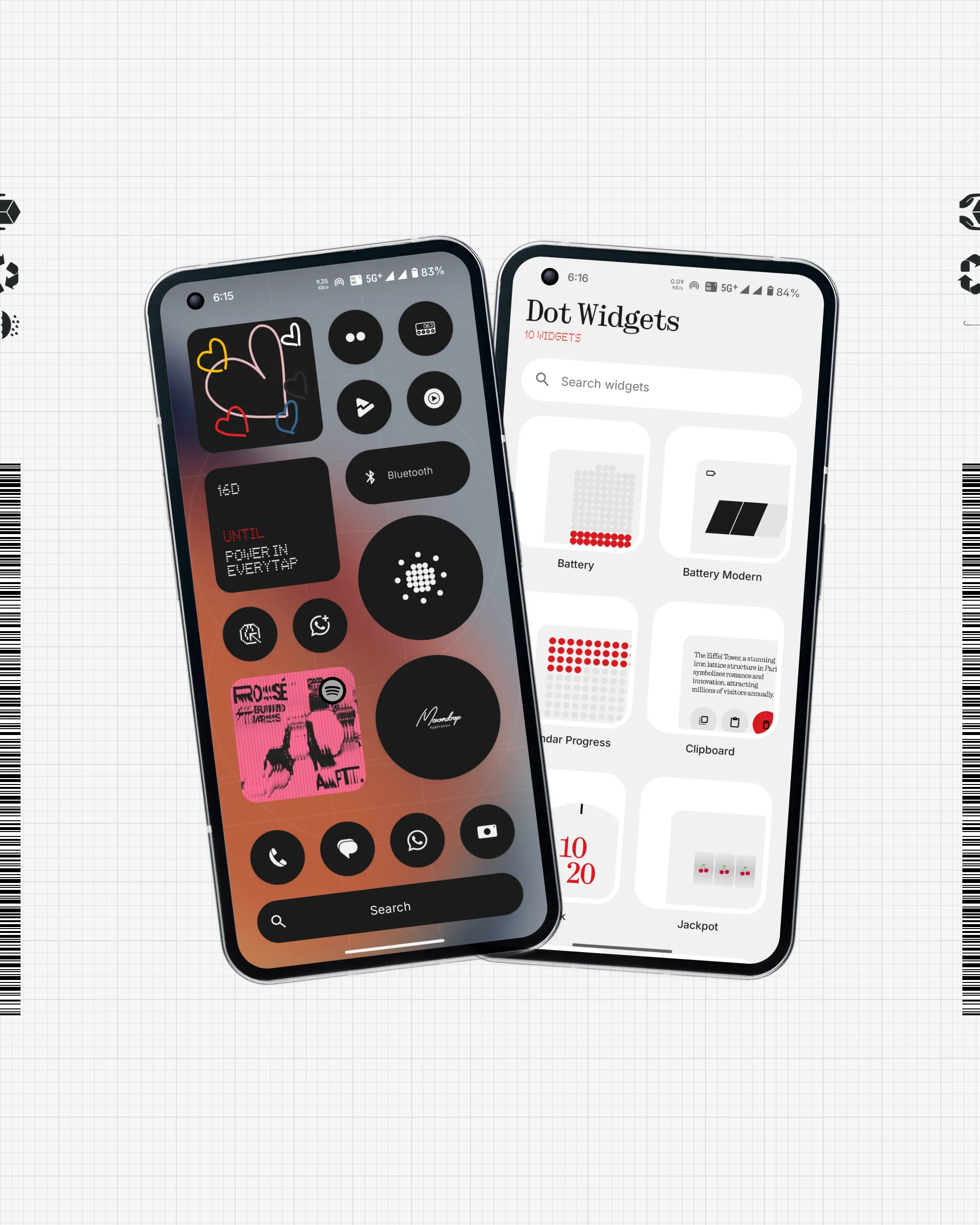
Information, refined. Bring the Nothing OS experience to your daily workflow with a collection of widgets designed for glancing and productivity. From task tracking to quick-action toggles, Dot Widgets blend playful interaction with high-utility design.
 Privacy policy
 Terms of Service
 Technical Specification
Privacy Policy
Last Updated: April 2026
At Dot Widgets, your privacy is paramount. This policy outlines our data handling practices for the Dot Widgets Android application.
1. Data Collection & Usage
Dot Widgets is designed to be a local-first utility. We collect or access minimal data necessary for core widget functionality:
- Task Data: Any tasks or reminders are stored exclusively on your device.
- Media State: To provide the "Music Widget", the app reads current playback status (music metadata) via Notification Access locally.
- Communication Metadata: To power the "Missed Call Widget", the app accesses call logs and contacts locally to display missed call notifications. This data is never harvested or uploaded.
2. Permission Mapping
To ensure transparency, we map our requested permissions to specific core features:
| Permission | Required Core Feature |
|---|---|
| SCHEDULE_EXACT_ALARM | Precise task reminders and timer widgets |
| READ_CALL_LOG / READ_CONTACTS / PHONE | Missed Call Widget (Detect and display recent call history on-device) |
| Notification Listener Service | Music Widget (Capture playback metadata for real-time widget display) |
3. Data Retention & Third Parties
All user-generated content (tasks/settings) remains on-device. We do not use third-party analytics SDKs that track personal behavior. We do not sell, trade, or rent user data to any third party.
For detailed inquiries or support, contact us at creepsmilehelp@gmail.com.
Technical Specification (TS)
This technical disclosure defines the core functionality and architectural requirements for compliance verification.
1. Core Functionality Statement
Dot Widgets is a System Utility & Productivity Suite designed to minimize friction in personal data management. Its core purpose is to provide "Glanceable Control" through Nothing OS-inspired widgets that allow users to track missed calls, control currently playing music, and manage personal tasks without opening full-screen applications.
2. Default Handler Capability
The application may request Default Handler permissions (e.g., for Assist or Global Actions) to enable "Double-Tap to Action" or "Long-Press for Widget Hub" features. This capability is essential to replicate a seamless OS-level experience, allowing users to trigger Dot Widgets' custom system-control overlay from any screen.
3. Architecture & Security
- Local Persistence: Uses Android Room for encrypted task storage. Sensitive communication metadata (call logs/contacts) is accessed in temporary memory only to update the widget UI.
- Metadata Processing: Music metadata is retrieved via a BIND_NOTIFICATION_LISTENER_SERVICE; this data is processed locally to update RemoteViews and is discarded when the app service is stopped.
- No Networking: The app does not utilize the INTERNET permission for data upload, ensuring a zero-leak environment.
- Widget Lifecycle: Implemented using RemoteViews with optimized update intervals to ensure minimal battery impact.
Terms of Service for Dot Widgets (Beta)
Dot Widgets is currently in Closed Beta. By using our widgets, you acknowledge that certain features may be experimental and subject to change or temporary disruption. The app is provided "as is" and its functionality depends on the compatibility of your device and its launcher. Creepsmile is not responsible for any data loss within the task widgets during this beta period. Users must not attempt to extract our proprietary design elements for external use. We grant you a limited, revocable license to test and provide feedback on our widget suite.